Family Device Monitoring & Parental Control Dashboard
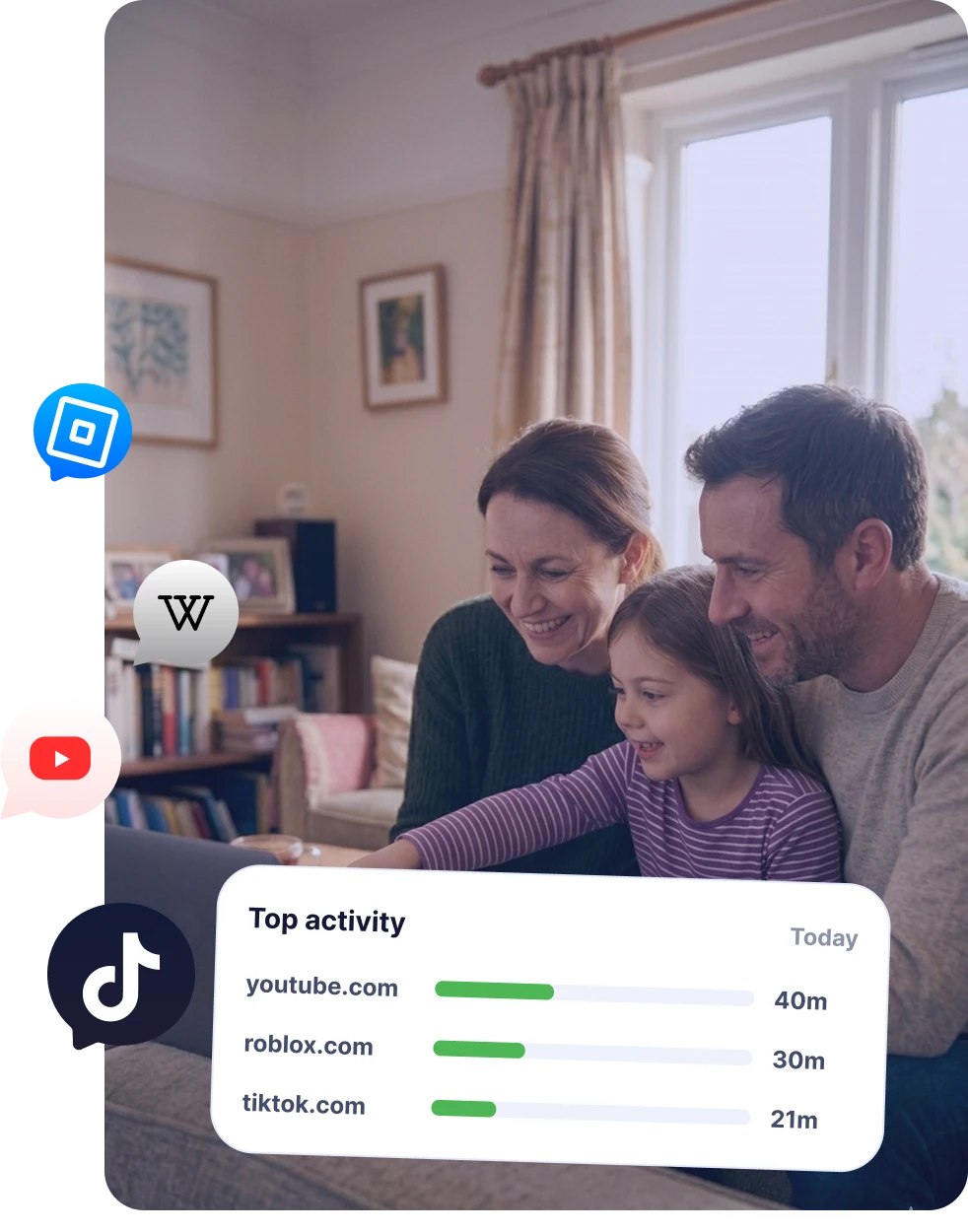
EvaSpy helps parents understand how a child's phone or family device is used: location history, app activity, websites, calls, incoming SMS, screenshots, blocked content events, and device statistics - all in one secure dashboard.
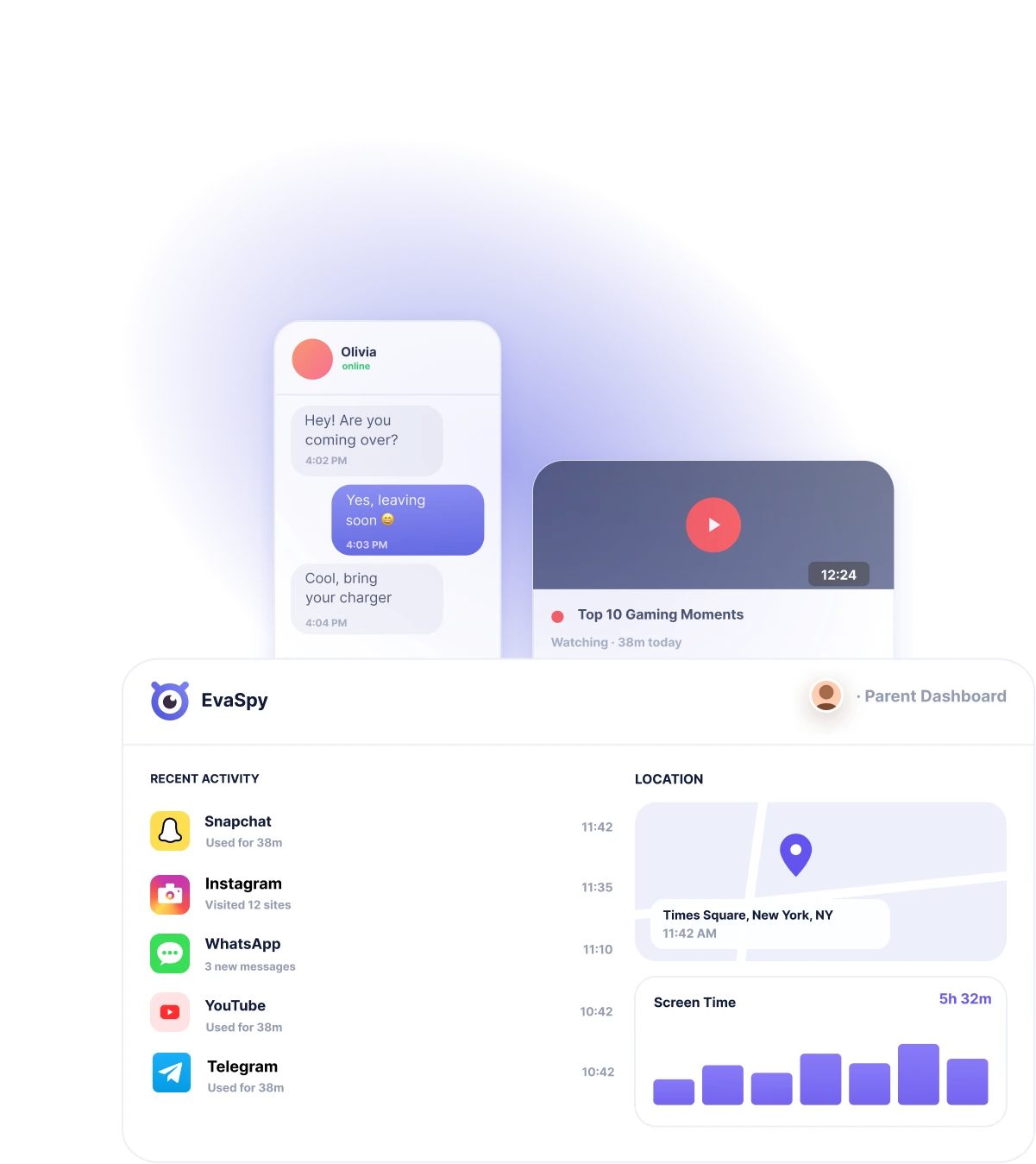
One Dashboard for Family Digital Safety
Phones and computers are part of everyday family life: school, work, entertainment, messaging, browsing, AI tools, and social apps all happen across different devices.

Review key activity signals
EvaSpy brings activity data together in a single online dashboard, so you can better understand how your child uses their phone and computer.

Notice patterns that matter
Review device activity, identify usage patterns, notice events that may need attention, and support clearer digital rules for your family.

Keep access responsible
EvaSpy is built for your own devices, child devices, family-owned devices, and legally accessible devices with required consent.
Choose the Platform You Need
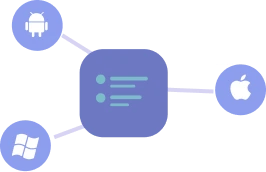
EvaSpy supports Android phones, Windows computers, and macOS computers. Feature availability may differ by platform, device model, permissions, setup, and selected plan.
EvaSpy for Android
Review reports on Android phones used by your child or another legally accessible family device.
- Messenger activity
- Location tracking
- Live screen viewing
- App activity
- Website activity
- Incoming SMS
- Call history
- Screenshots
EvaSpy for Windows
Review activity on Windows computers with proper authorization and required consent.
- Messenger activity
- Website activity
- Live screen viewing
- Internet traffic usage
- Active apps
- Device activity
- Website blocking
- Screenshots
- Installed apps
- Activity statistics
EvaSpy for macOS
Review activity on Mac devices used in your family or another legally accessible environment.
- Active app tracking
- Website activity in supported browsers
- Location tracking
- Device activity
- App and website blocking
- Screenshots
- Screenshot text recognition
What Can You Review with EvaSpy?
EvaSpy is designed to give you a clearer picture of digital activity across family devices.
'%3e%3cpath%20d='M23.5059%2010.7812H27.5059C29.6276%2010.7812%2031.6624%2011.516%2033.1627%2012.824C34.663%2014.1319%2035.5059%2015.9059%2035.5059%2017.7556C35.5059%2019.6053%2034.663%2021.3793%2033.1627%2022.6872C31.6624%2023.9952%2029.6276%2024.73%2027.5059%2024.73V27.7812C22.5059%2026.0377%2015.5059%2023.4223%2015.5059%2017.7556C15.5059%2015.9059%2016.3487%2014.1319%2017.849%2012.824C19.3493%2011.516%2021.3841%2010.7813%2023.5059%2010.7812Z'%20fill='url(%23paint0_linear_1789_1278)'%20shape-rendering='crispEdges'/%3e%3cpath%20d='M23.5059%2011.2812H27.5059C29.5154%2011.2812%2031.4311%2011.9781%2032.834%2013.2012C34.2347%2014.4223%2035.0059%2016.0626%2035.0059%2017.7559C35.0058%2019.449%2034.2347%2021.0895%2032.834%2022.3105C31.4311%2023.5335%2029.5154%2024.2295%2027.5059%2024.2295H27.0059V27.0752C24.6563%2026.2441%2022.0212%2025.229%2019.9082%2023.8232C17.5964%2022.2852%2016.006%2020.3473%2016.0059%2017.7559C16.0059%2016.0626%2016.777%2014.4223%2018.1777%2013.2012C19.5807%2011.9781%2021.4963%2011.2813%2023.5059%2011.2812Z'%20stroke='%235258DF'%20shape-rendering='crispEdges'/%3e%3c/g%3e%3cg%20filter='url(%23filter1_d_1789_1278)'%3e%3cpath%20d='M17.6%200H12.4C9.64175%200%206.99647%200.994137%205.04609%202.76371C3.09571%204.53328%202%206.93334%202%209.4359C2%2011.9385%203.09571%2014.3385%205.04609%2016.1081C6.99647%2017.8777%209.64175%2018.8718%2012.4%2018.8718V23C18.9%2020.641%2028%2017.1026%2028%209.4359C28%206.93334%2026.9043%204.53328%2024.9539%202.76371C23.0035%200.994137%2020.3583%200%2017.6%200Z'%20fill='url(%23paint1_linear_1789_1278)'/%3e%3cpath%20d='M17.5996%200.5H12.4004C9.7599%200.5%207.23555%201.45192%205.38184%203.13379C3.52984%204.81411%202.5001%207.08229%202.5%209.43555C2.5%2011.7888%203.52997%2014.0569%205.38184%2015.7373C7.23555%2017.4192%209.7599%2018.3721%2012.4004%2018.3721H12.9004V22.2832C16.0031%2021.1456%2019.5315%2019.7502%2022.3525%2017.7969C25.3734%2015.7052%2027.5%2013.0364%2027.5%209.43555C27.4999%207.0823%2026.4702%204.81411%2024.6182%203.13379C22.7645%201.45192%2020.2401%200.5%2017.5996%200.5Z'%20stroke='%235258DF'/%3e%3c/g%3e%3ccircle%20cx='9.25293'%20cy='9.39062'%20r='1.5'%20fill='white'/%3e%3ccircle%20cx='15.2529'%20cy='9.39062'%20r='1.5'%20fill='white'/%3e%3ccircle%20cx='21.2529'%20cy='9.39062'%20r='1.5'%20fill='white'/%3e%3cdefs%3e%3cfilter%20id='filter0_d_1789_1278'%20x='13.5059'%20y='10.7812'%20width='24'%20height='21'%20filterUnits='userSpaceOnUse'%20color-interpolation-filters='sRGB'%3e%3cfeFlood%20flood-opacity='0'%20result='BackgroundImageFix'/%3e%3cfeColorMatrix%20in='SourceAlpha'%20type='matrix'%20values='0%200%200%200%200%200%200%200%200%200%200%200%200%200%200%200%200%200%20127%200'%20result='hardAlpha'/%3e%3cfeOffset%20dy='2'/%3e%3cfeGaussianBlur%20stdDeviation='1'/%3e%3cfeComposite%20in2='hardAlpha'%20operator='out'/%3e%3cfeColorMatrix%20type='matrix'%20values='0%200%200%200%200.321569%200%200%200%200%200.345098%200%200%200%200%200.87451%200%200%200%200.5%200'/%3e%3cfeBlend%20mode='normal'%20in2='BackgroundImageFix'%20result='effect1_dropShadow_1789_1278'/%3e%3cfeBlend%20mode='normal'%20in='SourceGraphic'%20in2='effect1_dropShadow_1789_1278'%20result='shape'/%3e%3c/filter%3e%3cfilter%20id='filter1_d_1789_1278'%20x='0'%20y='0'%20width='30'%20height='27'%20filterUnits='userSpaceOnUse'%20color-interpolation-filters='sRGB'%3e%3cfeFlood%20flood-opacity='0'%20result='BackgroundImageFix'/%3e%3cfeColorMatrix%20in='SourceAlpha'%20type='matrix'%20values='0%200%200%200%200%200%200%200%200%200%200%200%200%200%200%200%200%200%20127%200'%20result='hardAlpha'/%3e%3cfeOffset%20dy='2'/%3e%3cfeGaussianBlur%20stdDeviation='1'/%3e%3cfeComposite%20in2='hardAlpha'%20operator='out'/%3e%3cfeColorMatrix%20type='matrix'%20values='0%200%200%200%200.321569%200%200%200%200%200.345098%200%200%200%200%200.87451%200%200%200%200.5%200'/%3e%3cfeBlend%20mode='normal'%20in2='BackgroundImageFix'%20result='effect1_dropShadow_1789_1278'/%3e%3cfeBlend%20mode='normal'%20in='SourceGraphic'%20in2='effect1_dropShadow_1789_1278'%20result='shape'/%3e%3c/filter%3e%3clinearGradient%20id='paint0_linear_1789_1278'%20x1='31.9627'%20y1='21.2187'%20x2='18.8906'%20y2='9.41016'%20gradientUnits='userSpaceOnUse'%3e%3cstop%20stop-color='%237F83F2'/%3e%3cstop%20offset='1'%20stop-color='%235258DF'/%3e%3c/linearGradient%3e%3clinearGradient%20id='paint1_linear_1789_1278'%20x1='8.79586'%20y1='-0.4375'%20x2='17.9505'%20y2='15.7763'%20gradientUnits='userSpaceOnUse'%3e%3cstop%20stop-color='%237F83F2'/%3e%3cstop%20offset='1'%20stop-color='%235258DF'/%3e%3c/linearGradient%3e%3c/defs%3e%3c/svg%3e)
Messengers and AI Chats
Review supported messenger and AI app activity through screenshot, and screenshot text recognition where available by platform.
'/%3e%3cpath%20d='M22.8%200.799805H17.4667C16.3621%200.799805%2015.4667%201.69524%2015.4667%202.7998V8.13314C15.4667%209.23771%2016.3621%2010.1331%2017.4667%2010.1331H22.8C23.9046%2010.1331%2024.8%209.23771%2024.8%208.13314V2.7998C24.8%201.69524%2023.9046%200.799805%2022.8%200.799805Z'%20fill='url(%23paint1_linear_1789_1329)'/%3e%3cpath%20d='M8.13332%2015.4665H2.79999C1.69542%2015.4665%200.799988%2016.3619%200.799988%2017.4665V22.7998C0.799988%2023.9044%201.69542%2024.7998%202.79999%2024.7998H8.13332C9.23789%2024.7998%2010.1333%2023.9044%2010.1333%2022.7998V17.4665C10.1333%2016.3619%209.23789%2015.4665%208.13332%2015.4665Z'%20fill='url(%23paint2_linear_1789_1329)'/%3e%3cpath%20d='M22.8%2015.4665H17.4667C16.3621%2015.4665%2015.4667%2016.3619%2015.4667%2017.4665V22.7998C15.4667%2023.9044%2016.3621%2024.7998%2017.4667%2024.7998H22.8C23.9046%2024.7998%2024.8%2023.9044%2024.8%2022.7998V17.4665C24.8%2016.3619%2023.9046%2015.4665%2022.8%2015.4665Z'%20fill='url(%23paint3_linear_1789_1329)'/%3e%3cpath%20d='M8.13332%200.799805H2.79999C1.69542%200.799805%200.799988%201.69524%200.799988%202.7998V8.13314C0.799988%209.23771%201.69542%2010.1331%202.79999%2010.1331H8.13332C9.23789%2010.1331%2010.1333%209.23771%2010.1333%208.13314V2.7998C10.1333%201.69524%209.23789%200.799805%208.13332%200.799805Z'%20stroke='%235258DF'%20stroke-width='1.6'%20stroke-linecap='round'%20stroke-linejoin='round'/%3e%3cpath%20d='M22.8%200.799805H17.4667C16.3621%200.799805%2015.4667%201.69524%2015.4667%202.7998V8.13314C15.4667%209.23771%2016.3621%2010.1331%2017.4667%2010.1331H22.8C23.9046%2010.1331%2024.8%209.23771%2024.8%208.13314V2.7998C24.8%201.69524%2023.9046%200.799805%2022.8%200.799805Z'%20stroke='%235258DF'%20stroke-width='1.6'%20stroke-linecap='round'%20stroke-linejoin='round'/%3e%3cpath%20d='M8.13332%2015.4665H2.79999C1.69542%2015.4665%200.799988%2016.3619%200.799988%2017.4665V22.7998C0.799988%2023.9044%201.69542%2024.7998%202.79999%2024.7998H8.13332C9.23789%2024.7998%2010.1333%2023.9044%2010.1333%2022.7998V17.4665C10.1333%2016.3619%209.23789%2015.4665%208.13332%2015.4665Z'%20stroke='%235258DF'%20stroke-width='1.6'%20stroke-linecap='round'%20stroke-linejoin='round'/%3e%3cpath%20d='M22.8%2015.4665H17.4667C16.3621%2015.4665%2015.4667%2016.3619%2015.4667%2017.4665V22.7998C15.4667%2023.9044%2016.3621%2024.7998%2017.4667%2024.7998H22.8C23.9046%2024.7998%2024.8%2023.9044%2024.8%2022.7998V17.4665C24.8%2016.3619%2023.9046%2015.4665%2022.8%2015.4665Z'%20stroke='%235258DF'%20stroke-width='1.6'%20stroke-linecap='round'%20stroke-linejoin='round'/%3e%3cdefs%3e%3clinearGradient%20id='paint0_linear_1789_1329'%20x1='-2.70001'%20y1='0.799805'%20x2='28.3'%20y2='26.7998'%20gradientUnits='userSpaceOnUse'%3e%3cstop%20stop-color='%237F83F2'/%3e%3cstop%20offset='1'%20stop-color='%235258DF'/%3e%3c/linearGradient%3e%3clinearGradient%20id='paint1_linear_1789_1329'%20x1='-2.70001'%20y1='0.799805'%20x2='28.3'%20y2='26.7998'%20gradientUnits='userSpaceOnUse'%3e%3cstop%20stop-color='%237F83F2'/%3e%3cstop%20offset='1'%20stop-color='%235258DF'/%3e%3c/linearGradient%3e%3clinearGradient%20id='paint2_linear_1789_1329'%20x1='-2.70001'%20y1='0.799805'%20x2='28.3'%20y2='26.7998'%20gradientUnits='userSpaceOnUse'%3e%3cstop%20stop-color='%237F83F2'/%3e%3cstop%20offset='1'%20stop-color='%235258DF'/%3e%3c/linearGradient%3e%3clinearGradient%20id='paint3_linear_1789_1329'%20x1='-2.70001'%20y1='0.799805'%20x2='28.3'%20y2='26.7998'%20gradientUnits='userSpaceOnUse'%3e%3cstop%20stop-color='%237F83F2'/%3e%3cstop%20offset='1'%20stop-color='%235258DF'/%3e%3c/linearGradient%3e%3c/defs%3e%3c/svg%3e)
App Activity
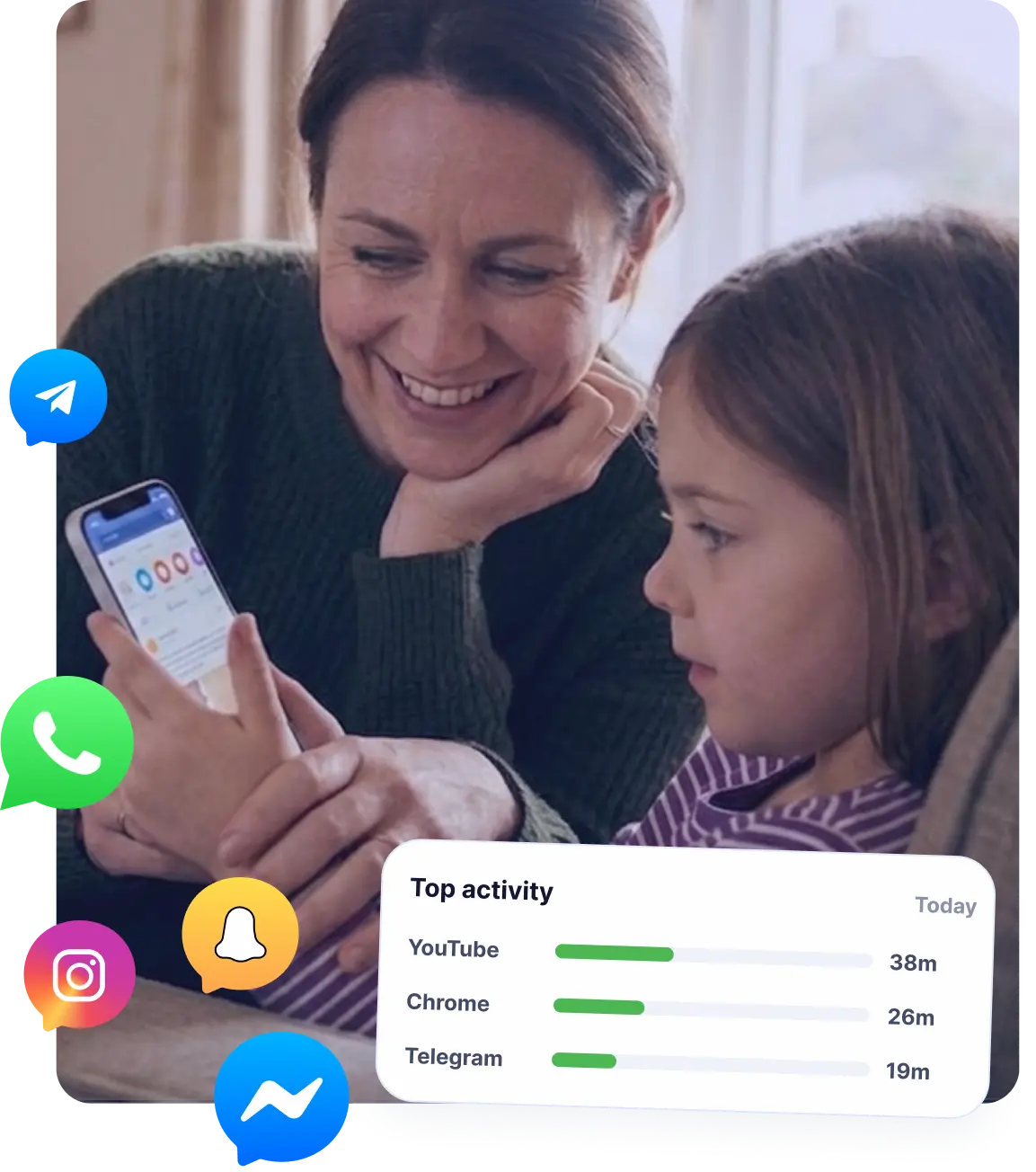
See which apps are used, when they are active, and how long they stay in focus. This helps parents understand app habits, distractions, and daily device routines.

Location Activity
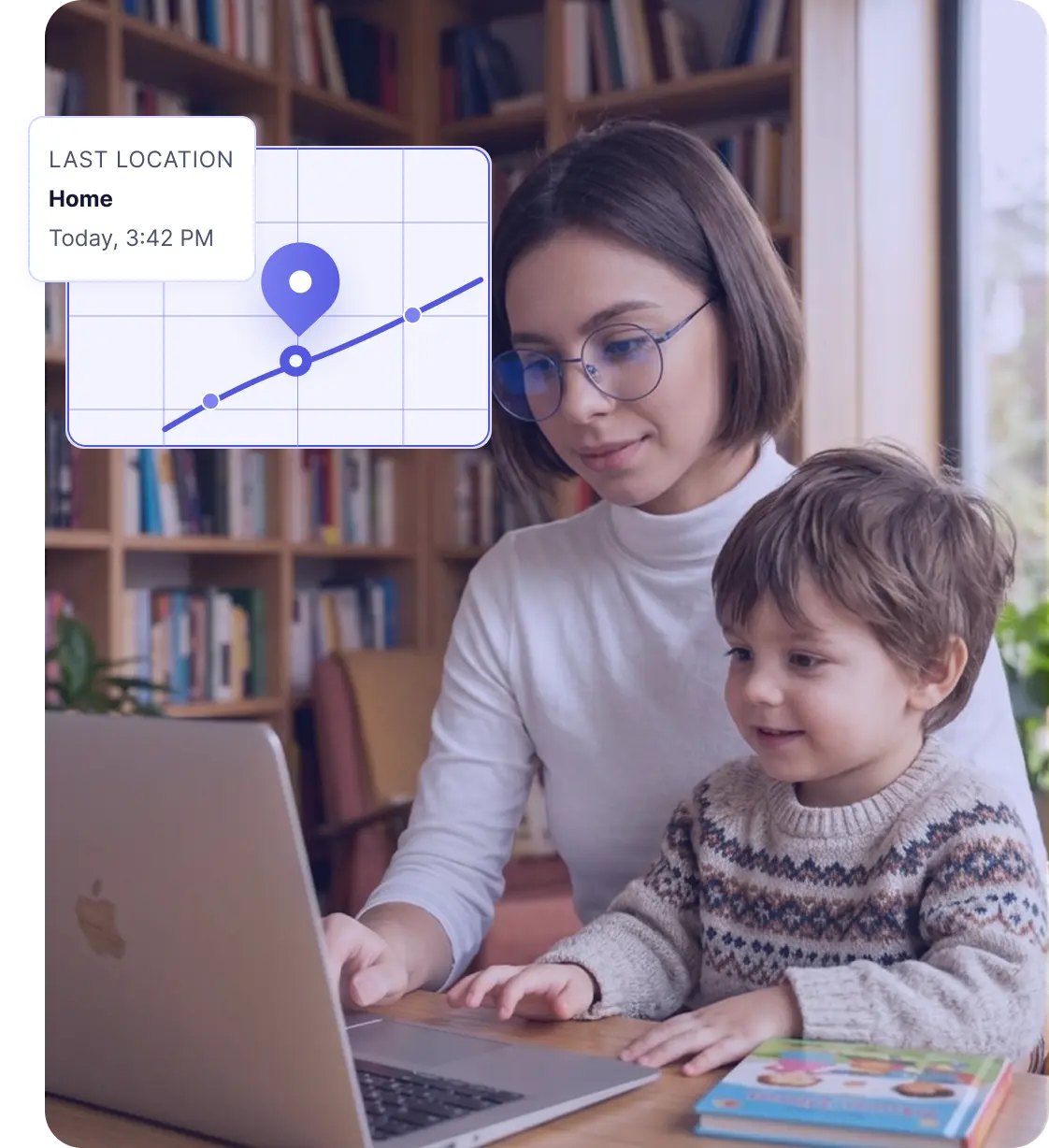
Check device location and location history where supported by the platform and user permissions. This feature helps parents check whether their child's device is where expected.

Website Activity
Review visited websites and browsing activity. Where blocking is supported, you can also limit access to unsafe, distracting, or inappropriate websites.
And More
'%20stroke='url(%23paint1_linear_1807_2014)'%20stroke-width='1.8'/%3e%3crect%20x='0.9'%20y='0.9'%20width='22.2'%20height='19.3765'%20rx='2.1'%20stroke='url(%23paint2_linear_1807_2014)'%20stroke-width='1.8'/%3e%3cellipse%20cx='7.27064'%20cy='7.13074'%20rx='2.47059'%20ry='2.47059'%20fill='url(%23paint3_linear_1807_2014)'/%3e%3cdefs%3e%3clinearGradient%20id='paint0_linear_1807_2014'%20x1='6.60002'%20y1='6.0002'%20x2='19.8'%20y2='16.2002'%20gradientUnits='userSpaceOnUse'%3e%3cstop%20offset='0.242126'%20stop-color='%237F83F2'/%3e%3cstop%20offset='0.692561'%20stop-color='%235258DF'/%3e%3c/linearGradient%3e%3clinearGradient%20id='paint1_linear_1807_2014'%20x1='-0.599977'%20y1='-1.1998'%20x2='24'%20y2='21.6002'%20gradientUnits='userSpaceOnUse'%3e%3cstop%20offset='0.37884'%20stop-color='%237E82F2'/%3e%3cstop%20offset='0.687628'%20stop-color='%235258DF'/%3e%3c/linearGradient%3e%3clinearGradient%20id='paint2_linear_1807_2014'%20x1='1.8'%20y1='0.6'%20x2='21.6'%20y2='20.4'%20gradientUnits='userSpaceOnUse'%3e%3cstop%20offset='0.196648'%20stop-color='%237F83F2'/%3e%3cstop%20offset='0.588198'%20stop-color='%235258DF'/%3e%3c/linearGradient%3e%3clinearGradient%20id='paint3_linear_1807_2014'%20x1='-2.39995'%20y1='-2.99981'%20x2='23.4'%20y2='24.0002'%20gradientUnits='userSpaceOnUse'%3e%3cstop%20offset='0.273376'%20stop-color='%237D81F1'/%3e%3cstop%20offset='0.56811'%20stop-color='%235359E0'/%3e%3c/linearGradient%3e%3c/defs%3e%3c/svg%3e)
Screenshots
EvaSpy can capture screenshots, giving parents visual context when activity logs alone are not enough.
'%20stroke='%235258DF'/%3e%3cpath%20d='M10.2855%200.5H13.7142C13.8405%200.5%2013.9901%200.566021%2014.1244%200.742188C14.2591%200.918985%2014.3568%201.18538%2014.3568%201.5V22.5C14.3567%2022.8144%2014.259%2023.0801%2014.1244%2023.2568C13.99%2023.4332%2013.8405%2023.5%2013.7142%2023.5H10.2855C10.1593%2023.4999%2010.0097%2023.4331%209.87537%2023.2568C9.74082%2023.0801%209.64302%2022.8143%209.64294%2022.5V1.5L9.64783%201.38477C9.66832%201.12045%209.75744%200.896962%209.87537%200.742188C10.0096%200.565999%2010.1593%200.500097%2010.2855%200.5Z'%20fill='url(%23paint1_linear_1807_1988)'%20stroke='%235258DF'/%3e%3cpath%20d='M18.5139%205.8335H22.6282C23.0521%205.8335%2023.5002%206.24516%2023.5002%206.88916V22.4438C23.5002%2023.0878%2023.0521%2023.4995%2022.6282%2023.4995H18.5139C18.0901%2023.4993%2017.6428%2023.0877%2017.6428%2022.4438V6.88916C17.6428%206.24533%2018.0901%205.83371%2018.5139%205.8335Z'%20fill='url(%23paint2_linear_1807_1988)'%20stroke='%235258DF'/%3e%3cdefs%3e%3clinearGradient%20id='paint0_linear_1807_1988'%20x1='0'%20y1='9.33301'%20x2='0'%20y2='23.9994'%20gradientUnits='userSpaceOnUse'%3e%3cstop%20stop-color='%237F83F2'/%3e%3cstop%20offset='0.971333'%20stop-color='%235258DF'/%3e%3c/linearGradient%3e%3clinearGradient%20id='paint1_linear_1807_1988'%20x1='9.14294'%20y1='0'%20x2='9.14294'%20y2='23.9996'%20gradientUnits='userSpaceOnUse'%3e%3cstop%20stop-color='%237F83F2'/%3e%3cstop%20offset='0.971333'%20stop-color='%235258DF'/%3e%3c/linearGradient%3e%3clinearGradient%20id='paint2_linear_1807_1988'%20x1='17.1428'%20y1='5.3335'%20x2='17.1428'%20y2='23.9998'%20gradientUnits='userSpaceOnUse'%3e%3cstop%20stop-color='%237F83F2'/%3e%3cstop%20offset='0.971333'%20stop-color='%235258DF'/%3e%3c/linearGradient%3e%3c/defs%3e%3c/svg%3e)
Device Statistics
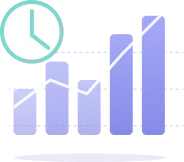
Review device activity, app usage, internet traffic, active periods, installed apps, and other usage insights from one dashboard.
Screenshot Text Recognition
EvaSpy can recognize text in captured screenshots on Android and macOS, helping parents search and review messenger, AI chat, website, and app context more easily.
'%20stroke-width='4'%20stroke-linecap='round'%20stroke-linejoin='round'/%3e%3cdefs%3e%3clinearGradient%20id='paint0_linear_1807_1996'%20x1='14'%20y1='2'%20x2='14'%20y2='26'%20gradientUnits='userSpaceOnUse'%3e%3cstop%20stop-color='%237F83F2'/%3e%3cstop%20offset='1'%20stop-color='%235258DF'/%3e%3c/linearGradient%3e%3c/defs%3e%3c/svg%3e)
App and Website Blocker
Use website blocking and app blocking where supported to help enforce family rules. EvaSpy can show events when blocked apps or websites are opened.
What Can EvaSpy Help You Understand?
EvaSpy is built to give you a clearer view of how family devices are used. Whether you are worried about phone habits, websites, apps, or activity on a family computer or the child's phone, the dashboard helps you focus on the signals that matter most.
Understand how a child uses a phone

Review activity on a family computer

Notice distracting apps or websites
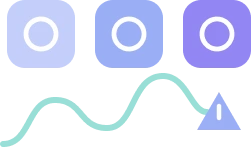
Understand AI-chat or messenger context

Review digital habits over time
Use one dashboard for several platforms
Built for Parents, Family Devices, and Legal Access
EvaSpy is not designed for secret monitoring, stalking, or tracking another adult without consent. It is built around family device monitoring, parental control, and responsible access.
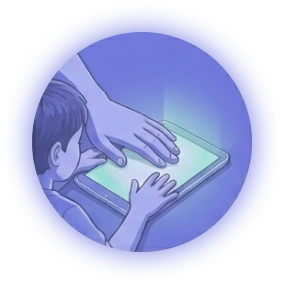
For Parents
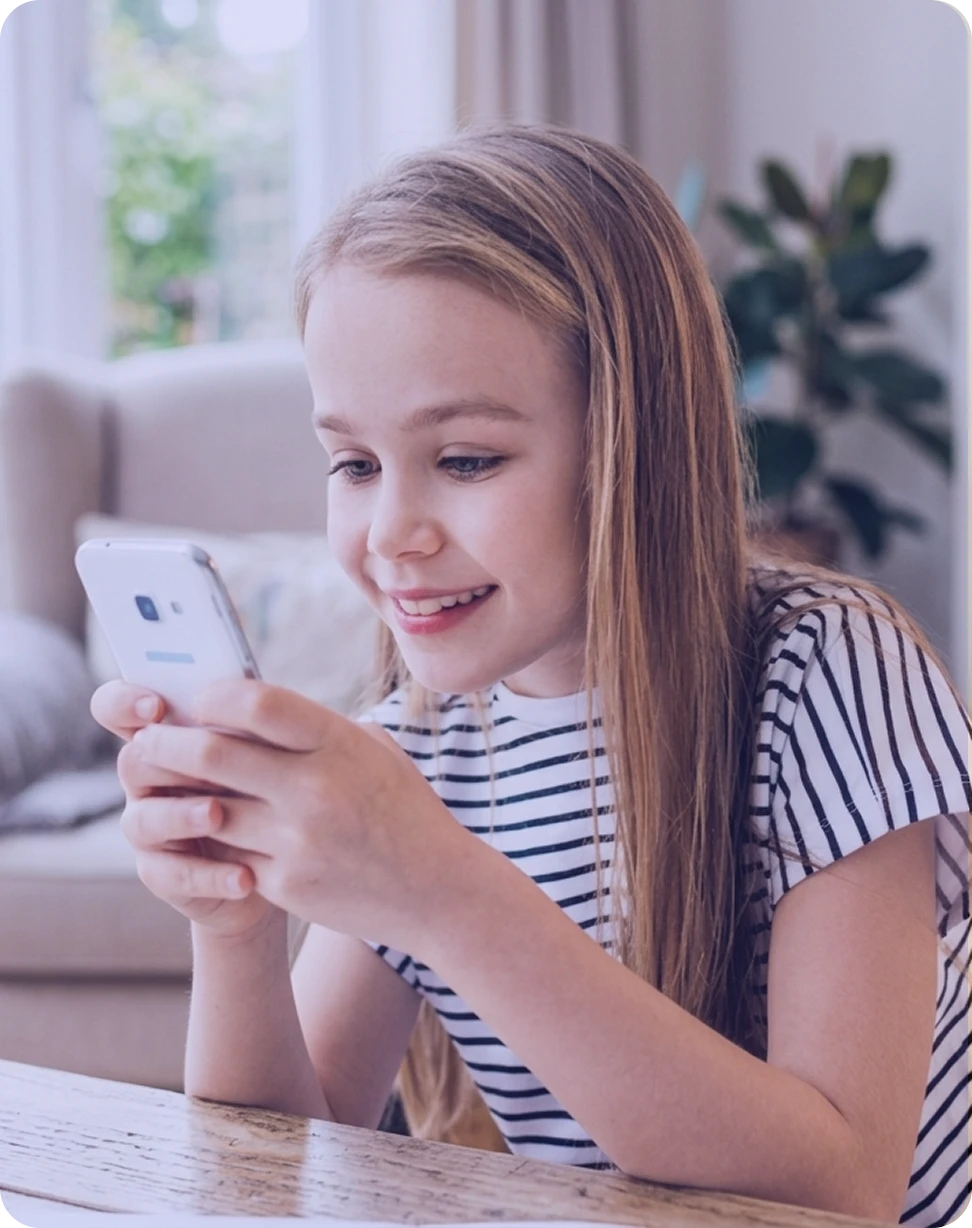
Understand how your child uses a phone or computer and support safer digital habits with clear information.
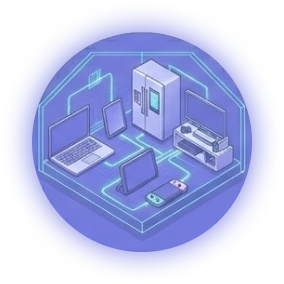
For Family-Owned Devices
Review activity on devices used in your household, with clear rules and proper authorization.
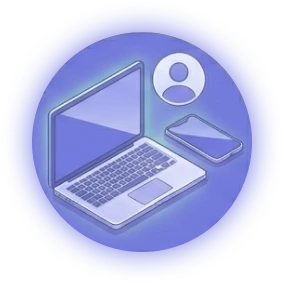
For Your Own Devices
Use EvaSpy to review activity, usage patterns, and events on devices you own.
For Legally Accessible Devices
Monitor only devices where you have the legal right and required consent to do so.
How EvaSpy Works
Set up EvaSpy in a few clear steps and review connected device activity from your online dashboard.
Create Your EvaSpy Account
Sign up and choose a plan that matches your devices, platforms, and monitoring needs.
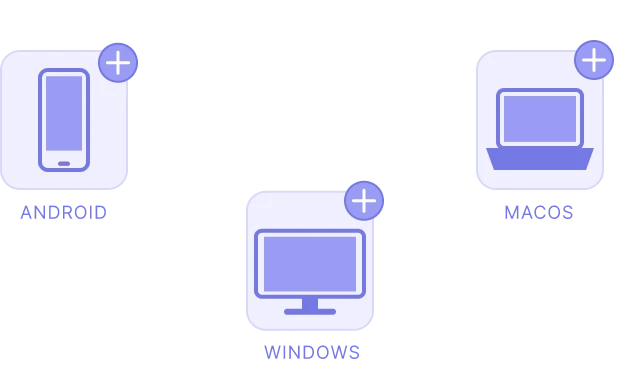
Add a Device
Select Android, Windows, or macOS. Install or connect EvaSpy on your own device, your child's device, or another legally accessible device with required consent.
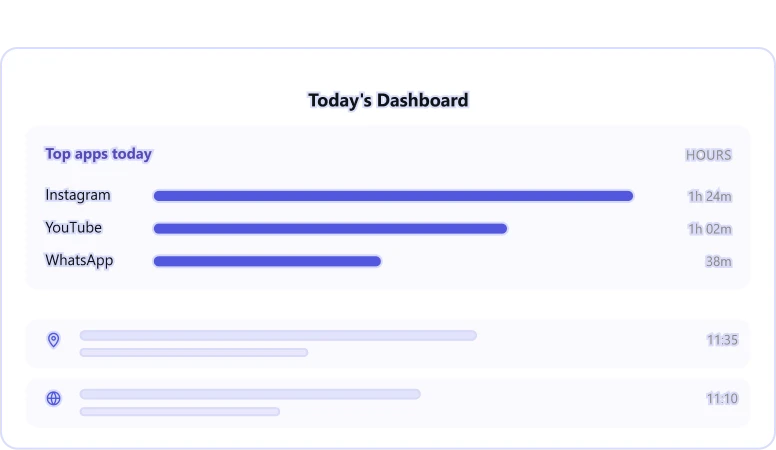
Monitor with Your Dashboard
Log in to your EvaSpy dashboard from any browser to review activity reports.
Responsible Use Comes First
EvaSpy is designed for family device monitoring, parental control, and lawful monitoring of devices you own or have proper authorization to access.
EvaSpy must not be used for secret monitoring, stalking, tracking another adult without authorization, or any unlawful purpose. Laws vary by country, state, and situation. Always check and comply with local laws before using EvaSpy.
EvaSpy is not hidden spyware. The app remains visible on the monitored device, and the person using it should know that monitoring is active. We encourage open communication — especially with children — about what EvaSpy reviews and why.
Use EvaSpy only on:
- your own devices;
- your child's devices;
- family-owned devices with clear rules;
- devices you have a legal right and required consent to monitor.
Frequently Asked Questions
Quick answers about product use, supported events, demo access and responsible monitoring.
EvaSpy is a family device monitoring and parental control dashboard for Android, Windows, and macOS. It helps parents review activity on connected child, family-owned, and legally accessible devices.
EvaSpy supports Android phones, Windows computers, and macOS computers. Feature availability may differ by platform, device model, OS version, permissions, browser support, setup, and selected plan.
Yes. EvaSpy is designed for parental control and family device monitoring. Parents can use it to better understand their child's device activity and support safer digital habits.
No. Feature availability differs between Android, Windows, and macOS. Some features are platform-specific, limited, or still in development. Always check platform availability before choosing a plan.
EvaSpy is designed for lawful use on your own devices, your child's devices, or devices you have a legal right and required consent to monitor. Parents can generally monitor minor children's devices, but monitoring adults usually requires consent. Always check and comply with your local laws.
Yes. You can view the EvaSpy demo dashboard to see how activity events, statistics, screenshots, location, and supported device data are presented.
Start with One Dashboard for Your Family Devices
EvaSpy helps you review activity across Android, Windows, and macOS devices, understand digital habits, and use monitoring tools responsibly for family safety and parental control.